AI SLOP ORIGINAL · RUN-AND-GUN

Pivot This

A run-and-gun where the level is your spreadsheet: every cell a target, every formula a turret, and the messier the workbook, the harder it fights back.

Single Player

Free · No download · Keyboard, mouse, gamepad or touch

THE PITCH

What it is

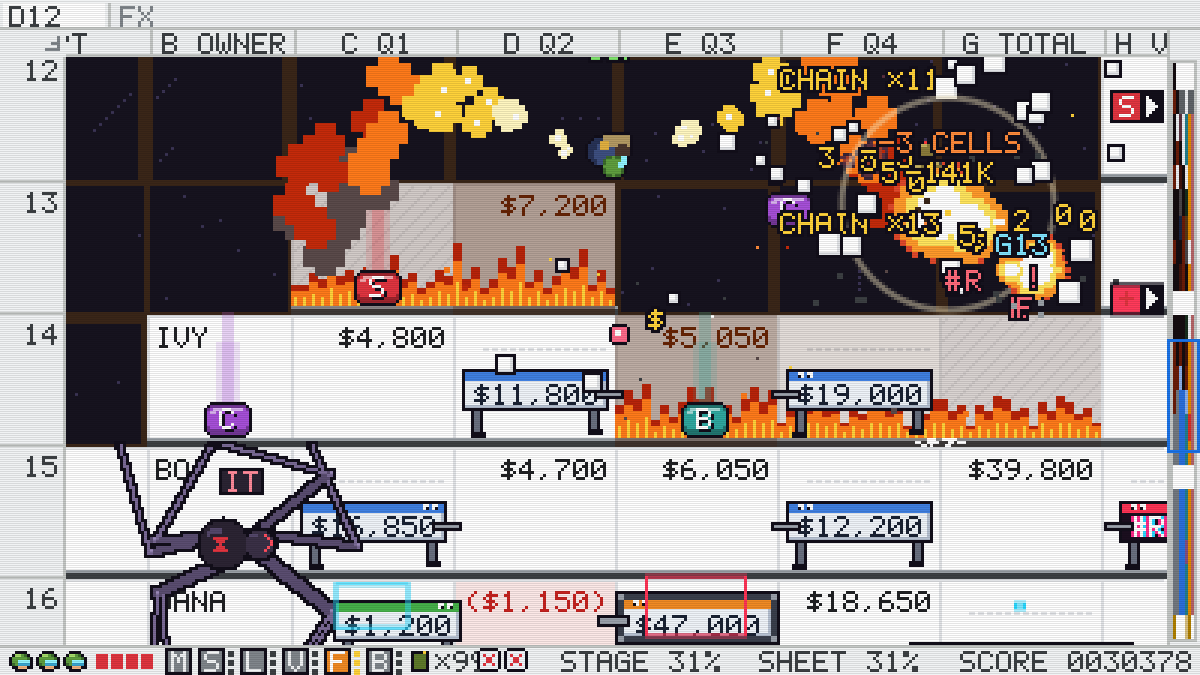
Everyone has a spreadsheet they'd like to shoot. Pivot This lets you. Drop in a workbook and it becomes a side-scrolling run-and-gun, built cell by cell out of what's actually in it. Numbers jump out as troopers. Some labels hatch bugs that crawl the gridlines. Formulas turn into turrets, dates into bomber drones, TRUE/FALSE into hoppers, and errors like #DIV/0! glitch out and drop guns. The empty cells are holes you fall through.

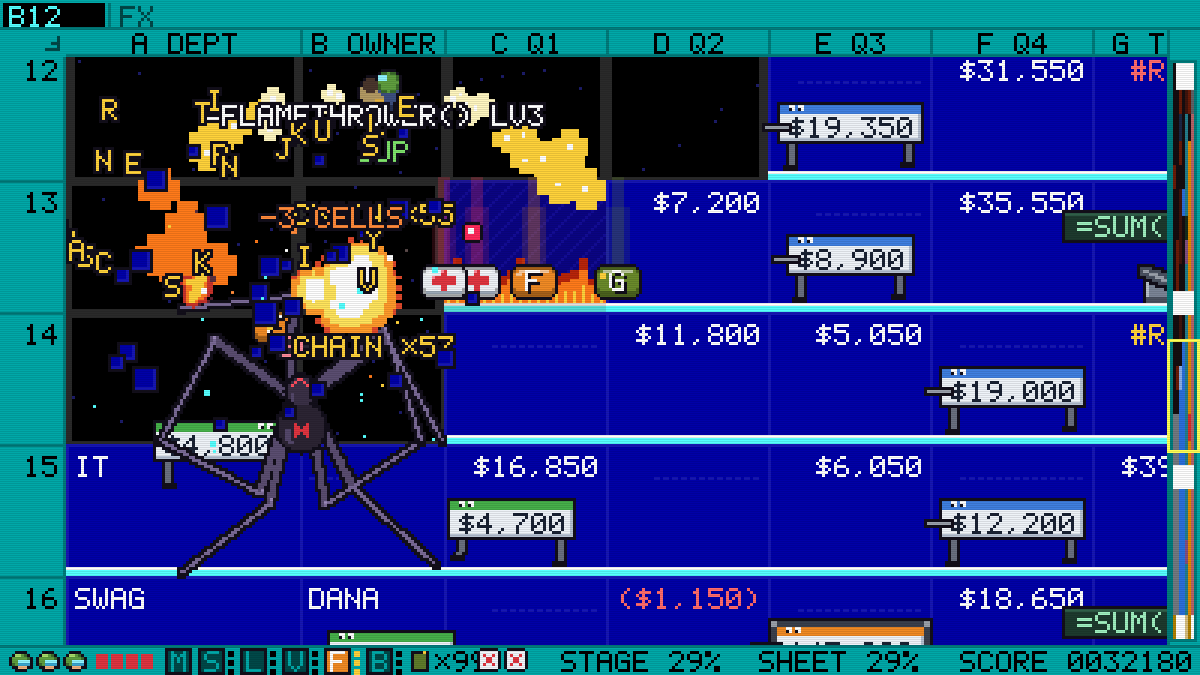
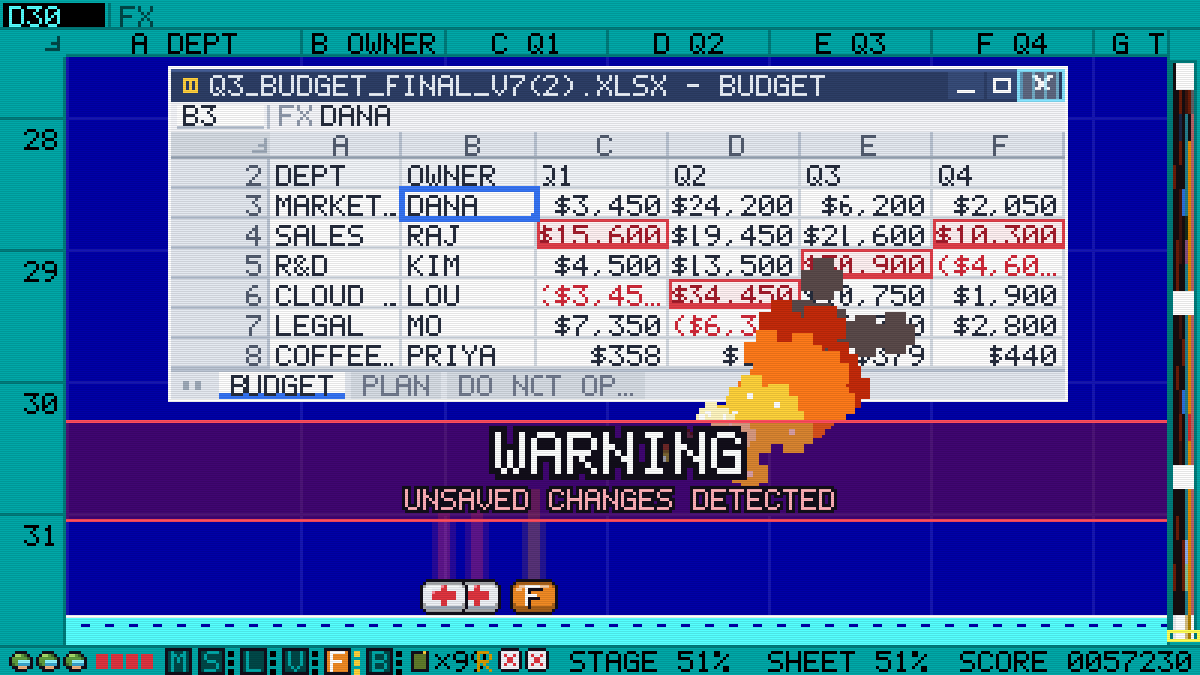
You fight your way down the sheet, not across it. Shoot the floor out from under you to drop a row, lob grenades that blow cells apart, and start fires that spread; blow one cell and its neighbours tend to go with it. The guns are named like functions, from =SPREAD() to =BAZOOKA(), and every stage ends with the spreadsheet's own window coming for you: WARNING: UNSAVED CHANGES DETECTED.

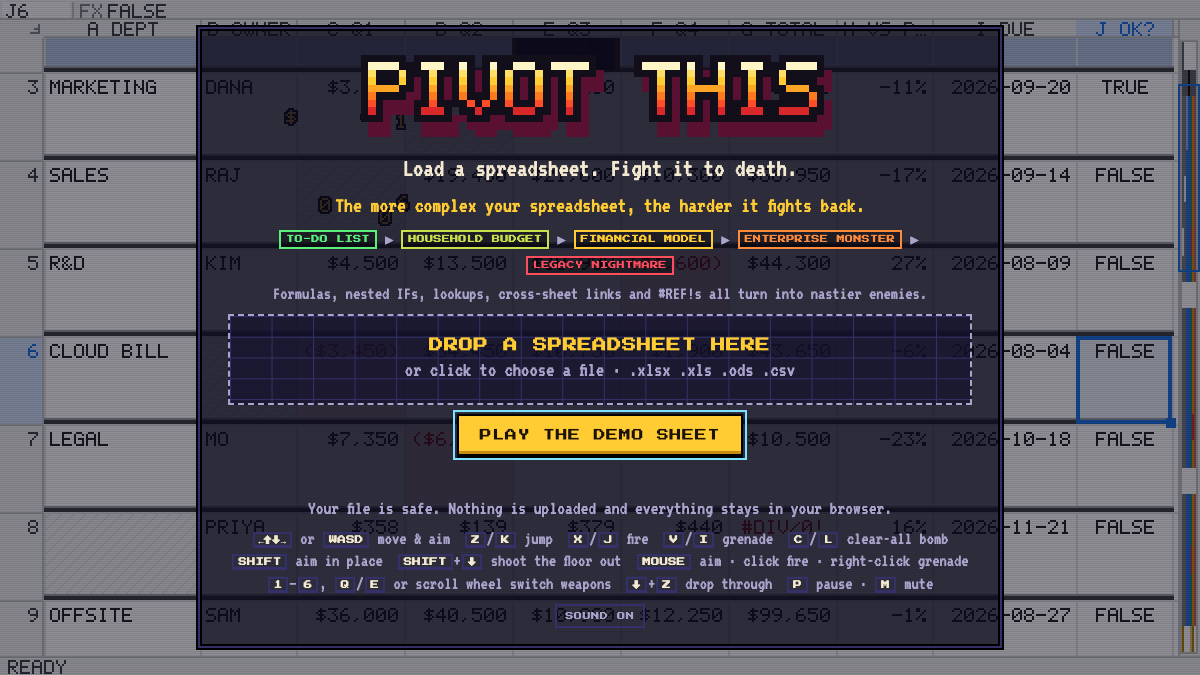
How hard it fights depends on the file. A to-do list barely puts up a fight; a legacy workbook full of nested IFs, lookups, cross-sheet links and #REF!s is a Legacy Nightmare. Nothing gets uploaded: the whole thing runs in your browser tab. No spreadsheet to hand? Play the demo sheet, a Q3 budget marked DO NOT EDIT.

FIELD NOTES

UNDER THE HOOD

What's in it

Any spreadsheet is a level

Excel (.xlsx, .xlsm, .xlsb, .xls), OpenDocument (.ods), CSV and TSV. A workbook with several sheets lets you pick one, or play up to twelve back to back. Big files are trimmed to fit: up to 25,000 rows and the 24 busiest columns.

Your data, weaponised

Every kind of cell fights its own way. Numbers are troopers, some labels hatch bugs, formulas are turrets (break what they point at and they go #REF!), dates are bomber drones, TRUE/FALSE and percentages are hoppers, and errors are glitches that drop weapons.

Guns named like functions

=SPREAD(), =LASER(), =VLOOKUP(), =FLAMETHROWER() and =BAZOOKA() on top of the machine gun, each upgradable to level 3, plus grenades, rapid fire, a clear-all bomb and =HEAL() packs. Dying costs a level of the gun in your hand.

Dig down, leave holes

Shoot the floor out to drop a row, and what you blow up stays blown up. Clear the last boss and the game grades the damage: Sheet Survived, Damaged, Wrecked or, past 85%, Sheet Deleted, with a map of every hole you left.

The boss is the app

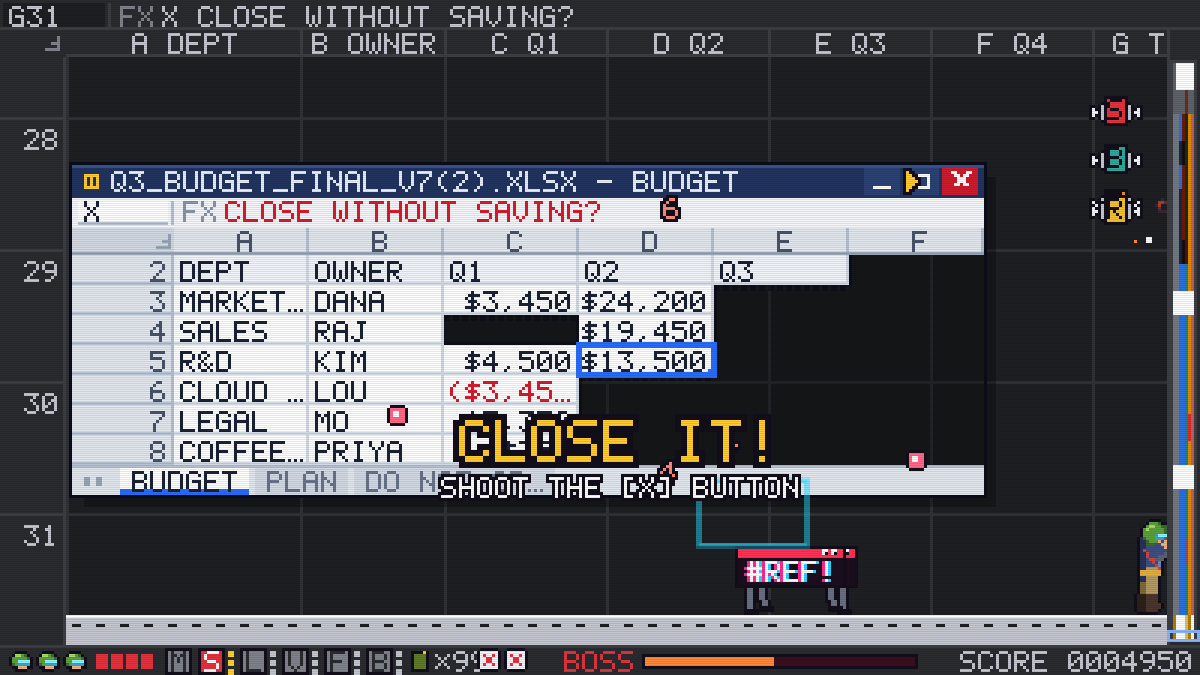
Each stage ends with the spreadsheet's own window: =SELECT(ROW) sweeps you have to jump or duck, =FILL.DOWN() on your head, =SPAWN("#REF!"). Take out its formula turrets, then close it without saving.

Plays anywhere, uploads nothing

Keyboard, mouse aim, a gamepad or a phone's touch screen, with four sheet looks (light, dark, DOS and green screen). The file is read in your browser and never leaves it.
FIRST RUN

Your first spreadsheet

  1. Pick a file. Drop a spreadsheet on the title screen (on a phone, tap to open one from Files, iCloud or Drive), or press Play the demo sheet. A workbook with several sheets asks which one to attack, or all of them back to back.
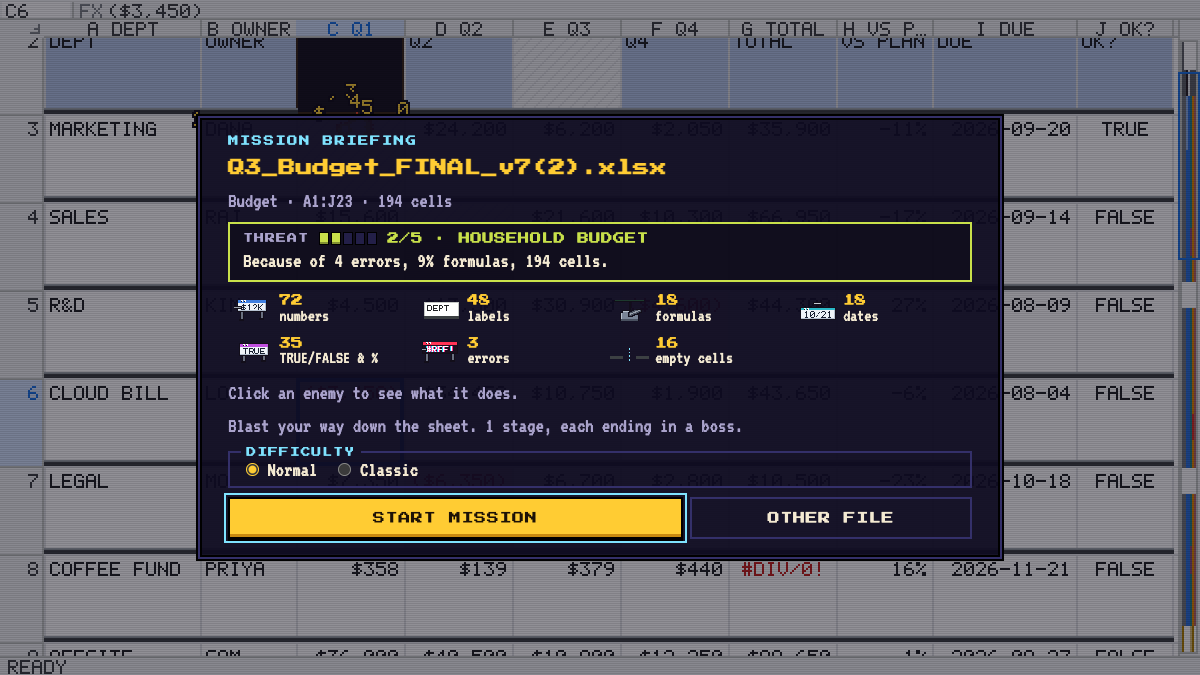
  2. Read the briefing. It counts what you're about to fight and rates the threat. Pick a difficulty: Normal gives you four hits a life, Classic one. A big sheet also asks for a length, from Quick (about three stages) to Long (about twelve).
  3. Fight your way down. Move with WASD or the arrows, jump with Z, fire with X or the mouse. Hold Shift, press ↓ and fire to shoot the floor out and drop a row.
  4. Grab what drops. Supply crates and glitched errors give up guns, grenades, rapid fire, clear-all bombs and health packs. 1–6, Q / E or the wheel switch guns.
  5. Close the boss. At the bottom of each stage the window attacks: jump or duck its row sweeps, dodge its fills, take out its formula turrets, then shoot the [X]. Clear every stage and see how much of the file you deleted.

MEET YOUR BUTTONS

Controls

Keyboard and mouse
KeyDoes
W A S DMove and aim (the arrow keys too)
ZJump (K or Space too)
XFire (J too)
VGrenade (I too)
CClear-all bomb (L too)
ShiftAim in place
Shift ↓ XShoot the floor out
↓ ZDrop through a floor
MouseAim; click to fire, right-click for a grenade
1 – 6Switch guns (Q / E or the wheel too)
PPause
MMute
Touch
KeyDoes
StickMove and aim (pull down to lie flat)
Tap the sheetShoot right there, floors included
AUTOKeep firing
SWAPChange guns
CLEARWipe the screen

BEFORE YOU PRESS START

Questions people ask

Does my spreadsheet get uploaded?

No. The file is read in your browser and never leaves it; nothing is sent anywhere. Close the tab and it's gone.

Is it free?

Yes: no price, no account, no download. Open the page and load a file.

Can I play it on a phone?

Yes. It has touch controls: a stick to move and aim, tap the sheet to shoot exactly there, and buttons for auto-fire, swapping guns and clearing the screen. Turn the phone sideways for a bigger view. A gamepad works too.

Why is my file so hard?

Complexity. Formulas, nested IFs, lookups, cross-sheet links, volatile functions and #REF!s push it up the ladder from To-Do List to Legacy Nightmare, and every step brings nastier enemies. The briefing says why it rated your file the way it did.

What happens when I run out of lives?

Continue restarts the stage with three lives and your score back at zero, or load another file. On Normal you take four hits a life; on Classic, one hit and you're out.

PATCH NOTES

What's new

NEXT OBSESSION

More from the arcade